
Federated Detections
Detect security threats across all your data sources in real-time without moving or duplicating data. Federated Detections provide automated monitoring, intelligent alerting, and rapid response capabilities.
Federated Detections
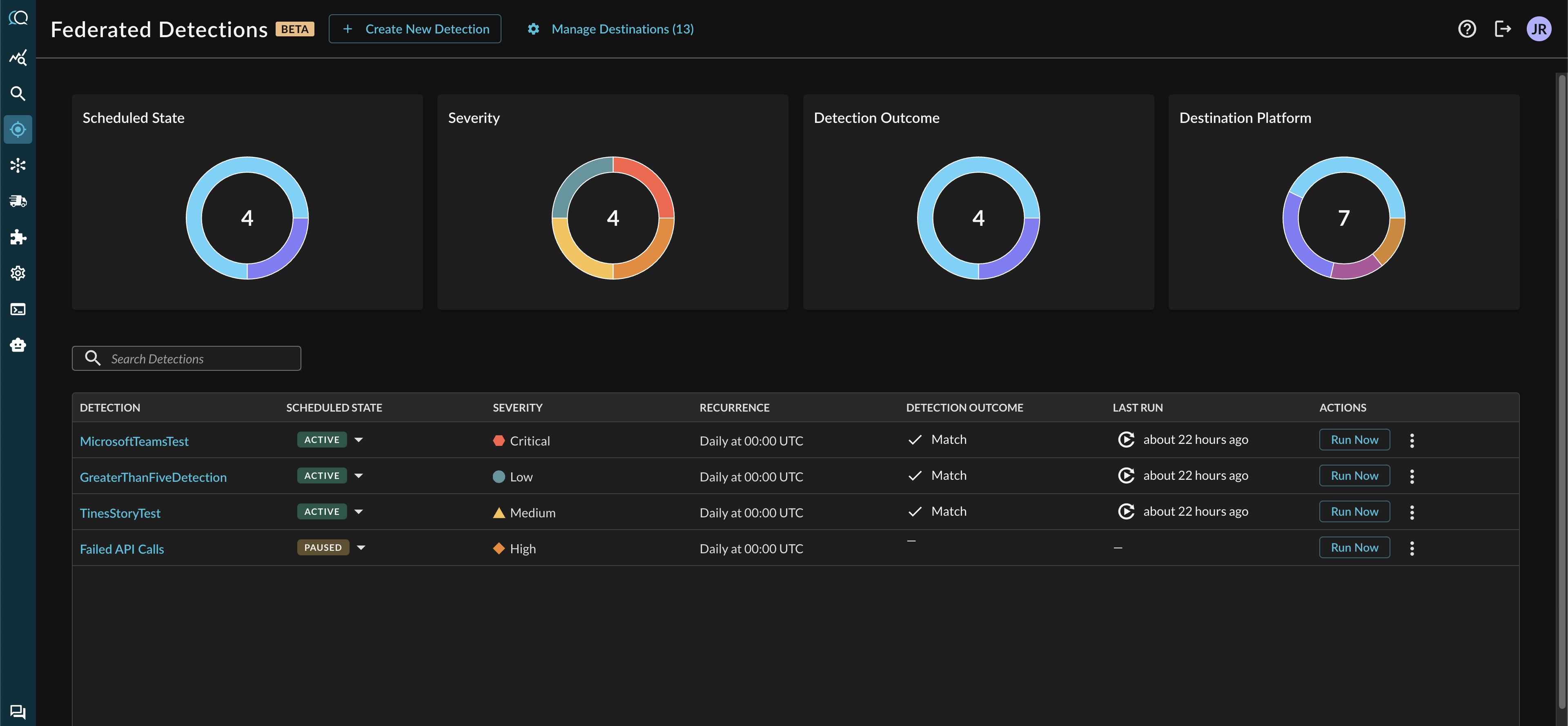
Federated Detections is a security monitoring system that executes scheduled FSQL queries across federated data sources to identify security events. The system runs queries on a defined schedule, evaluates match conditions, and sends alerts to configured destinations when conditions are met.
How It Works
Federated Detections operate through a streamlined process:
- Scheduled Execution: Detections run at configured intervals (hourly, daily, or weekly)
- Query Execution: FSQL query executes across all federated data sources
- Outcome Evaluation: System evaluates query results against configured threshold
- Alert Dispatch: If threshold is met, alerts are sent to configured destinations
- Outcome Recording: System records execution outcome, match count, and metadata
Detection Outcomes
Every detection run produces one of three outcomes:
MATCHED
Condition: Query returned results meeting or exceeding the configured threshold
Meaning: Suspicious activity detected that matches detection criteria
Actions:
- Outcome persisted to database with matching records
- Alerts dispatched via configured destinations
- Replay link generated for investigation
Early Termination: When threshold is met during query execution, the search stops immediately. Only records up to the threshold are returned. This reduces costs and delivers faster alerts.
NOT_MATCHED
Condition: Query executed successfully but returned fewer results than threshold
Meaning: No suspicious activity detected in the time window, or activity below threshold
Actions:
- Outcome persisted to database
- No alerts dispatched
ERROR
Condition: Query execution failed or encountered errors
Meaning: Detection could not complete successfully
Actions:
- Outcome persisted with error details
- Alerts may be dispatched depending on configuration
- Requires investigation to resolve underlying issue
Key Features
Query Where Data Lives
Execute detections across distributed data sources without ETL processes, data duplication, or centralized storage. Detections work directly with existing data infrastructure.
Early Termination
Detections can be configured to stop as soon as threshold is met, delivering alerts in seconds rather than waiting for complete query execution. This reduces compute costs while maintaining comprehensive security coverage.
Smart Thresholding
Configure match thresholds to balance alert volume with detection sensitivity. Set higher thresholds for noisy environments or lower thresholds for critical assets.
Complete Audit Trail
Every detection run is logged with full details including match counts, execution times, and investigation links for compliance and forensics.
Detection Configuration
Severity

Categorize detections by severity (LOW, MEDIUM, HIGH, CRITICAL) to prioritize response efforts and route alerts appropriately.
Threshold
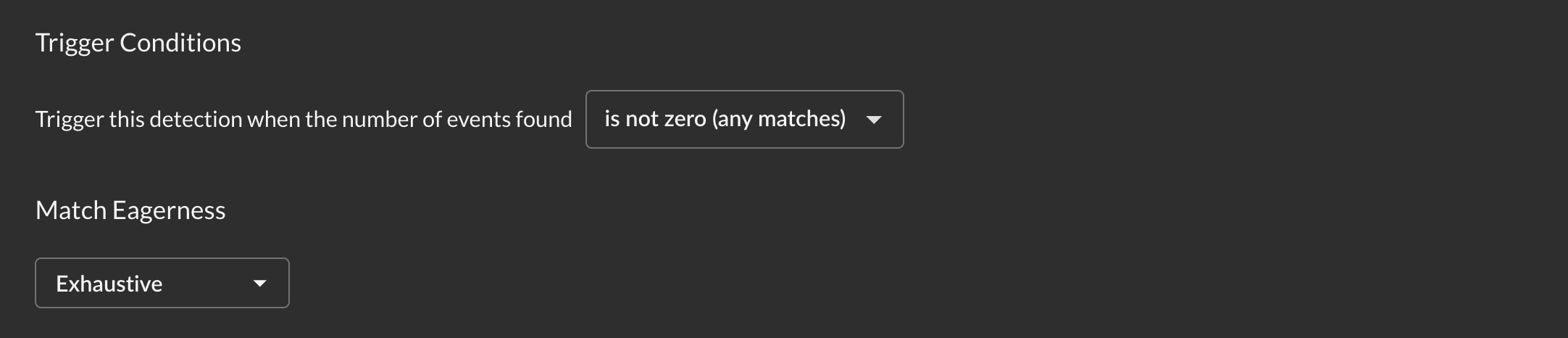
Configure when detection triggers:
- Operator: Comparison method (equals, greater than, less than, etc.)
- Threshold: Minimum number of matches required
- Eagerness:
- Exhaustive: Waits for complete search across all sources (accurate count)
- Eager: Evaluates as soon as threshold is met (faster alerts)
Schedule

Set detection frequencies that match security requirements:
- Hourly: Runs every hour at specified minute (:00, :05, :10, etc.)
- Daily: Runs once per day at specified time (UTC)
- Weekly: Runs once per week on specified day and time (UTC)
Alert Destinations
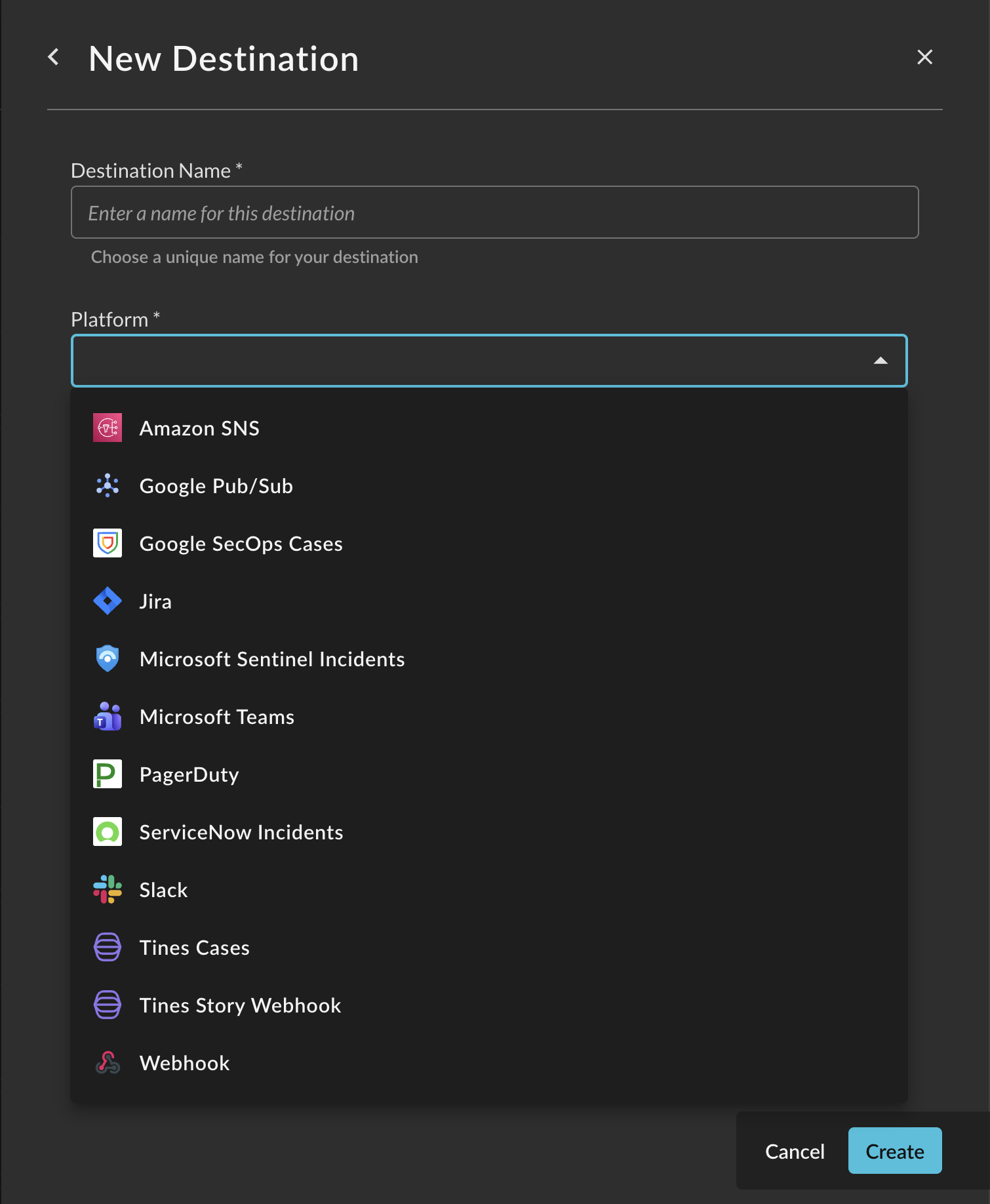
Federated Detections integrate with your existing security workflow through multiple destination types:
- Amazon SNS
- Azure Sentinel
- Google Pub/Sub
- Google SecOps
- Jira
- Microsoft Teams
- PagerDuty
- ServiceNow
- Slack
- Tines (Webhook and Cases)
- Generic Webhook
Each detection can send alerts to multiple destinations simultaneously.
Use Cases
Failed Authentication Monitoring
Detect multiple failed login attempts from the same source across all authentication systems.
Data Exfiltration Detection
Identify unusual data transfers outside business hours or exceeding normal thresholds.
Privilege Escalation Alerts
Monitor for unauthorized privilege escalation attempts across endpoints and cloud environments.
Insider Threat Detection
Track suspicious user behavior patterns across multiple data sources.
Next Steps
- Creating Detections - Learn how to create and configure detections
- FSQL Query Guide - Write effective detection queries
- Alert Destinations - Configure alert routing
- Managing Detections - Monitor and maintain detections
Updated 10 months ago